Contents
Getting started..
Go to doom-emacs for install guidance.
Primary key bindings:
| Keyboard | Symbol | Emacs term |
|---|---|---|
| Ctrl | C | Control |
| Left alt | M | Meta |
| Windows/Command | s | Super |
| Right alt | A | Alt key |
Open guidance in minibuffer by pressing action key and wait. E.g SPC and wait.
Editing variables
- Press
SPC h v, search for variable and do your stuff.
Common Tasks
- Run commands:
SPC : - Open magit:
SPC g g - Find a file:
SPC . - Switch to buffer outside of current project:
SPC b B
File Navigation and manage projects:
File
- Find file:
SPC . - Open configuration:
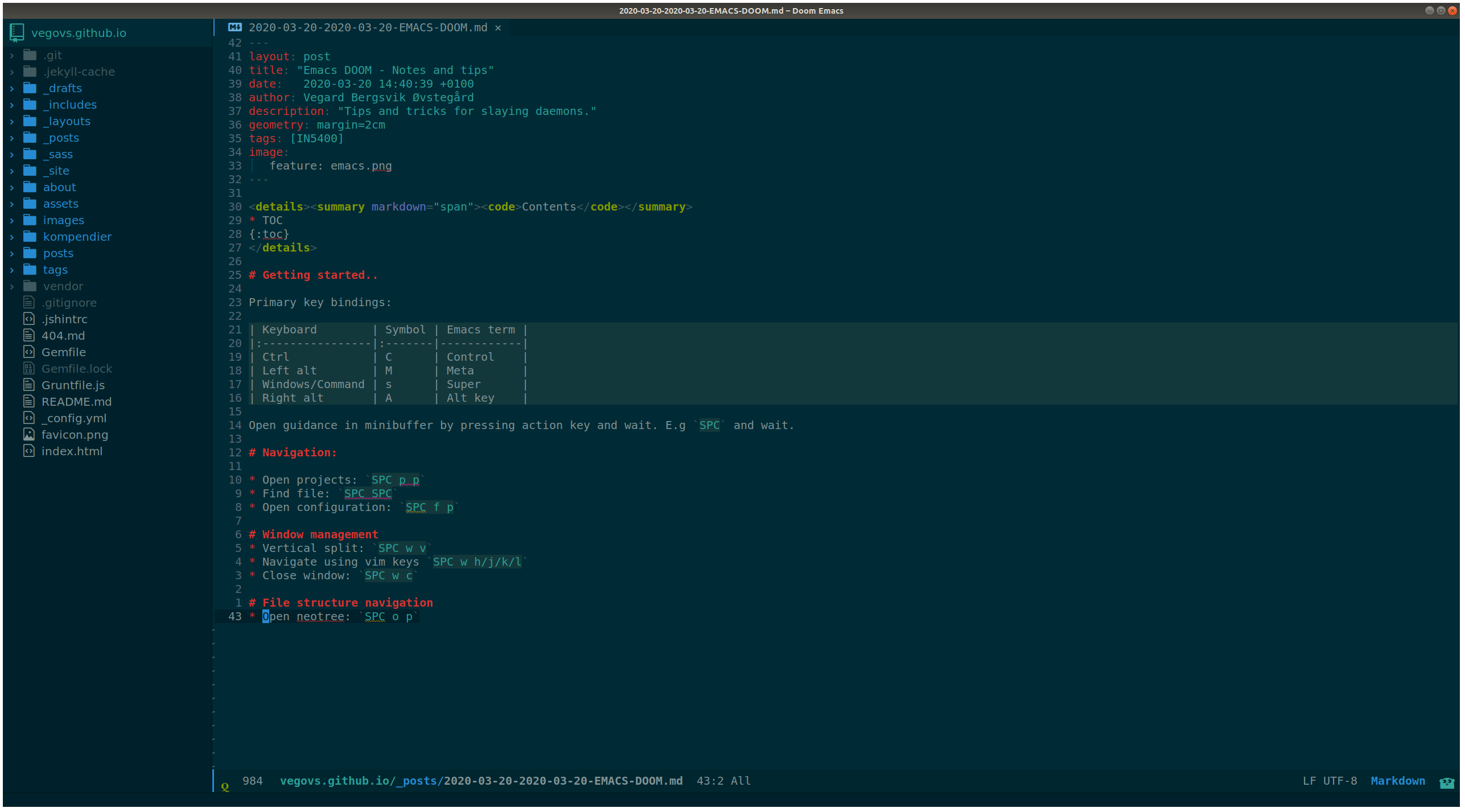
SPC f p - Open neotree:
SPC o p - Delete file:
C-c C-d - Open recent file :
SPC f r
Projects
- Open projects:
SPC p p - Find file in project:
SPC SPC - Open recent file in project:
SPC f R - Map projects in a folder:
M-x projectile-discover-projects-in-directory- Maps folder containing .git folder etc.
- Appending
projectile-project-search-path '("~/Projects/")toconfig.elwill automatically index projects under~/Projects/
Dired
Open a folder instead of a file to open dired-mode.
- More/less info
(/) - Move up a directory:
- - Enter a directory:
ENT - Select for deletion:
d - Execute selection:
x - Toggle files/folder:
t - Sort by name/date:
o - Modify modes for group/user:
M - Change owner:
O - Select all directories:
*\ - Deselect all:
U - Copy file:
C - Move:
R - Mark :
m - Change names with insert-mode:
i
Window management
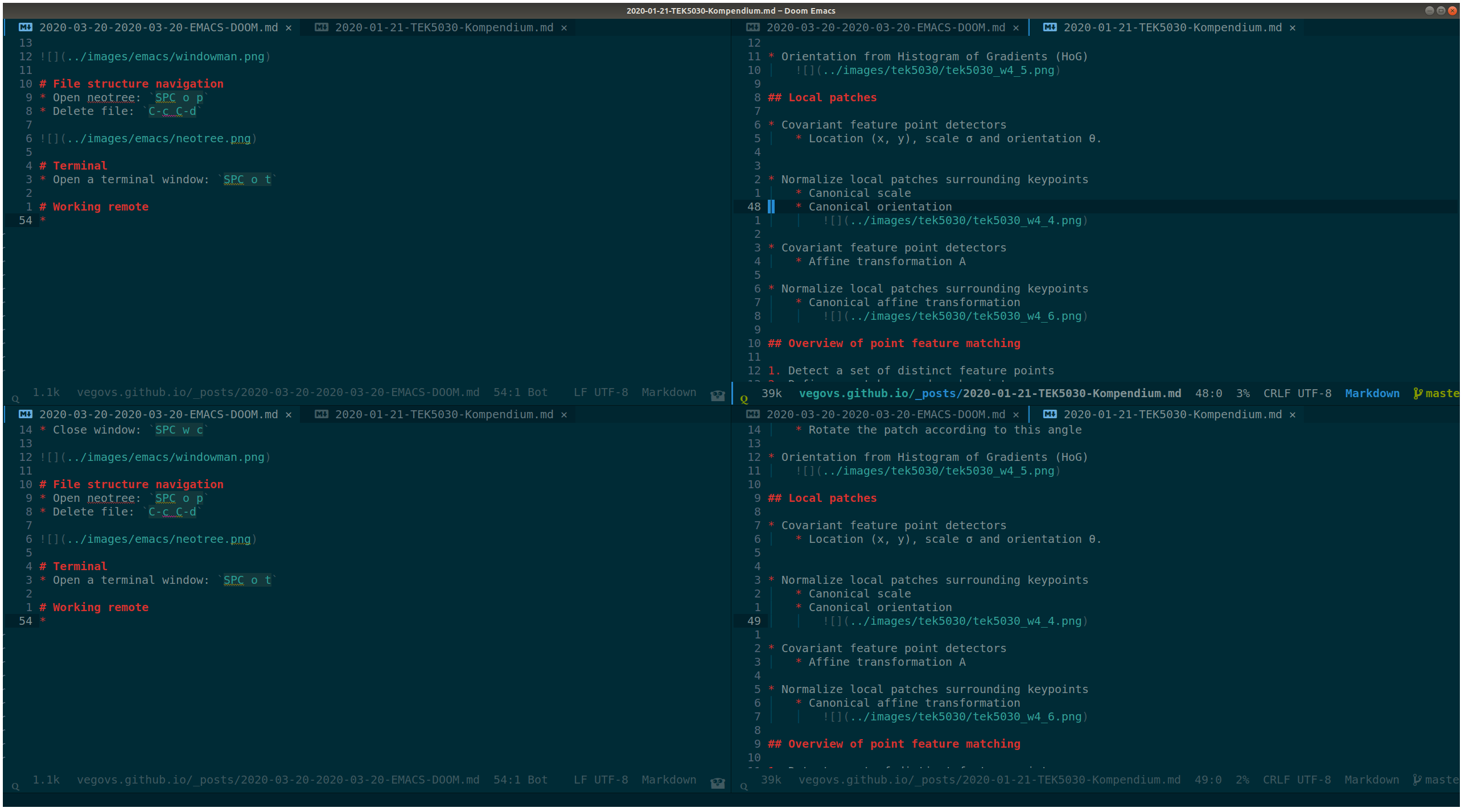
- Vertical split:
SPC w v - Navigate using vim keys
SPC w h/j/k/l - Close window:
SPC w c - Reset windows:
SPC =
Buffer management
- Switch to workspace-buffer:
SPC b borSPC , - Switch to buffer:
SPC b B - Kill a buffer:
SPC b k - Create a new buffer:
SCP b N - Save a buffer:
SCP b s
Editor stuff
Commenting
- To comment out stuff, use:
g c - To comment out stuff, use:
g c c - Visual block:
V j j g c
Evil stuff
Like vim-seek, but better?
- Go to character “h”:
f h - Go to character before “h”:
t h - Go to next occurrence:
; - Go to previous occurrence:
; - Easy motion with:
g s j - Search two letter combo:
s $ $, backwards:S $ $
Avy
Like easy-motion but better?
- Start search with
g s SPC- Write word end with
RET - Press the letter where you want to go.
- Write word end with
Evil multi edit
Beyond multi cursor edit
- Select cursor occurrences below:
M-d - Select cursor occurrences upwards:
M-dWorks in visual-mode as well - Select words etc, use
M-dorRfor all occurrences. - Include/exclude with
RET
Searching
- Press
SPC sto get various search options - Lookup online with:
SPC s O - Lookup cursor online with:
K - Search directories in insert-mode with
C-x C-f
Org mode
- Cycle through views:
SHIFT TAB - Move headings, lines lists etc with:
M-j/k - Indent headings, lines lists etc with:
M-h/l - To continue a list, press
M-RET - Create links:
SPC m l - Create code snippets by :
<s TAB- Evaluate code by pressing:
RETorC-c C-cwhile cursor is inside the snippet.
- Evaluate code by pressing:
- To-do hotkeys:
SPC m t - Open to-dos:
SPC o a t
Terminal
- Open a terminal window:
SPC o t
Working remote
- Open remote location using:
C-x C-f->sshx:user@remote:/home/user/file
Various hotkeys stolen from here:
SPC
    SPC: find file
    , switch buffer
    . browse files
    : MX
    ; EX
    < switch buffer
    ` eval
    u universal arg
    x pop up scratch
    ~ toggle last popup
    TAB workspace
        TAB Display tab bar
        . switch workspace
        0 last workspace
        1-9 : x workspace
        L load session
        S autosave current session
        X delete sessions
        [ previous workspace
        ] next workspace
        d delete workspace
        l load workspace from file
        n workspace
        s save workspace to file
        x kill all buffers'
    / search
        i symbols
        I symbols accr. buffers
        b buffer
        d directory
        o Online providers
        p project
    [ prev
        S spelling corr
        [ text size
        b buffer
        d diff
        e error
        h smart jump
        s spelling error
        t todo
        w workspace
    ] next
        S spelling corr
        [ text size
        b buffer
        d diff
        e error
        h smart jump
        s spelling error
        t todo
        w workspace
    b buffer
        B switch buffer
        S sudo edit
        [ prev
        ] next
        b switch ws buffer
        k kill buffer
        n new empty buffer
        o kill other buffers
        s save buffer
        x pop scratch buffer
        z burry buffer
    c code
        d jump to def
        D jump to ref
        e evaluate buffer
        E evaluate and replace
        b build
        r repl
        x list errors
    f file
        . find file
        / find file in project
        > sudo find file
        ? find file from here
        E Browse emacs.d
        P browse private config
        R recent project files
        a find other file
        c open project editor config
        d find dir
        e find file in emacs.d
        p find file in private config
        r recent files
        y yank filename
    g git
        c magit commit
        C magit clone
        G list gists
        L list reps
        P magic pull popup
        R git revert
        S git stage
        U git unstange hunk
        [ previous
        ] next
        b magic blame
        d magic dispatch
        f magic find
        g magit status
        i init repo
        l magit buffer log
        p push popup
        r git revert hunk
        s git status
        t git time matchine
    o open
        M mail
        N neotree
        O reveal proj finder
        b browser
        d debugger
        n neotree
        o reveal in finder
        r repl
        t terminal
    p project
        ! run cmd in project root
        . browse
        / find in project
        c compile project
        o find other file
        p switch project
        r recent project files
        t list project tasks
        x invalidate cache
    q quit
        q save and quit
        Q quit
    r remote
        . browse remote files
        > detect remote changes
        D diff local and remote
        U upload local
        d download remote
        u upload local
    s snippets
        S find snippet
        i insert snippet
        n new snippet
        s find snippet for mode
    t toggle
        F frame fullscreen
        I indente
        b big mode
        f flycheck
        g evil goggles
        h impatient modei indet guides
        l line numbers
        p org-tree-slide-mode
        s flyspell
    w window
        + increase height
        - descr height
        < dec width
        = balance windows
        > incr width
        H move left
        J move down
        K move up
        L move right
        R rotate up
        S split
        W prev
        _ set height
        b bottom right
        c close window
        h left
        j down
        k up
        l right
        n new
        o enlargen
        p mru
        q quit
        r rotate down
        s split
        t top left
        u winner undo
        v vsplit
        w next
        | set width